How to organize song ideas so you can find them again
Give every idea one home: capture it fast, name it right away, attach it to a song, and keep the files in one cloud folder you control. Here's a step-by-step system.
Available on the web, iOS and Android
The problem: ideas everywhere, none findable
Most songwriters have dozens of untitled voice memos, lyric lines in a notes app, and demos spread across old laptops. The good idea is in there somewhere — you just can't find it when you need it.
Step 1 — Capture before you lose it
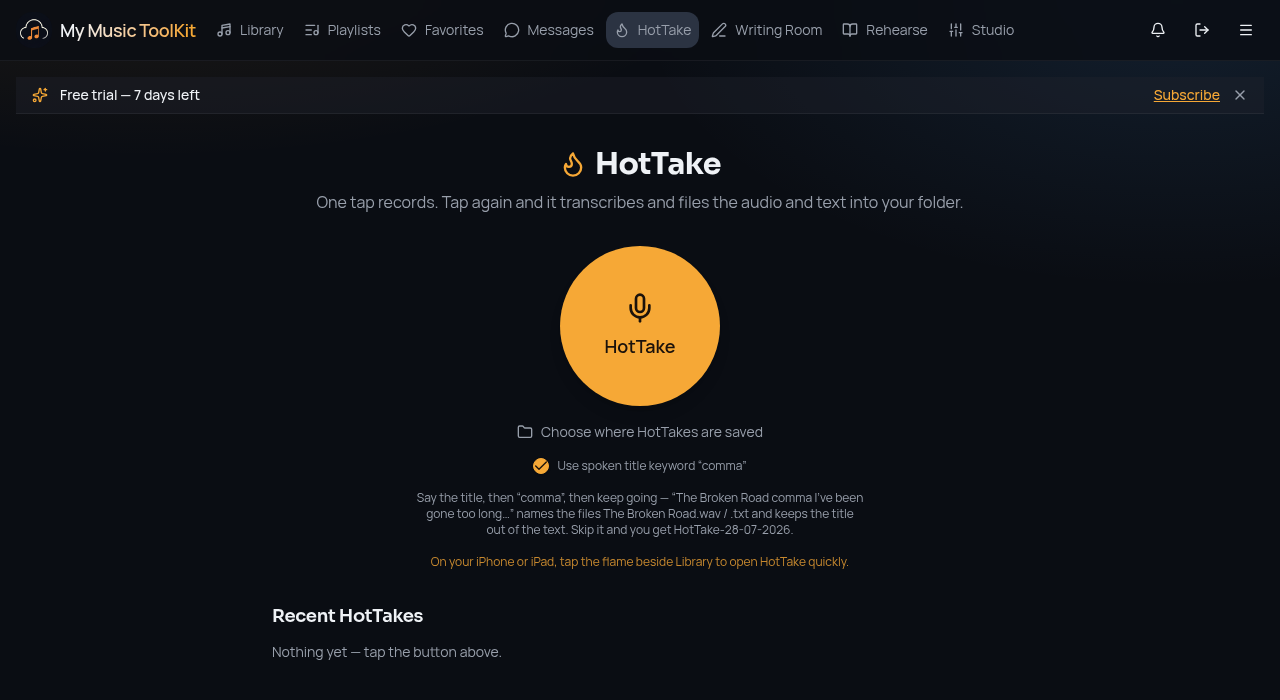
Use one capture tool every time. In My Music ToolKit, Hot Take records with a single tap, transcribes what you sang or said, and files the audio and text into the cloud folder you picked.
Step 2 — Name it while it's fresh
Rename the idea with a working title or a lyric hook right after capturing it. A memorable name beats a date stamp every time you search later.
Step 3 — Give strong ideas a song record
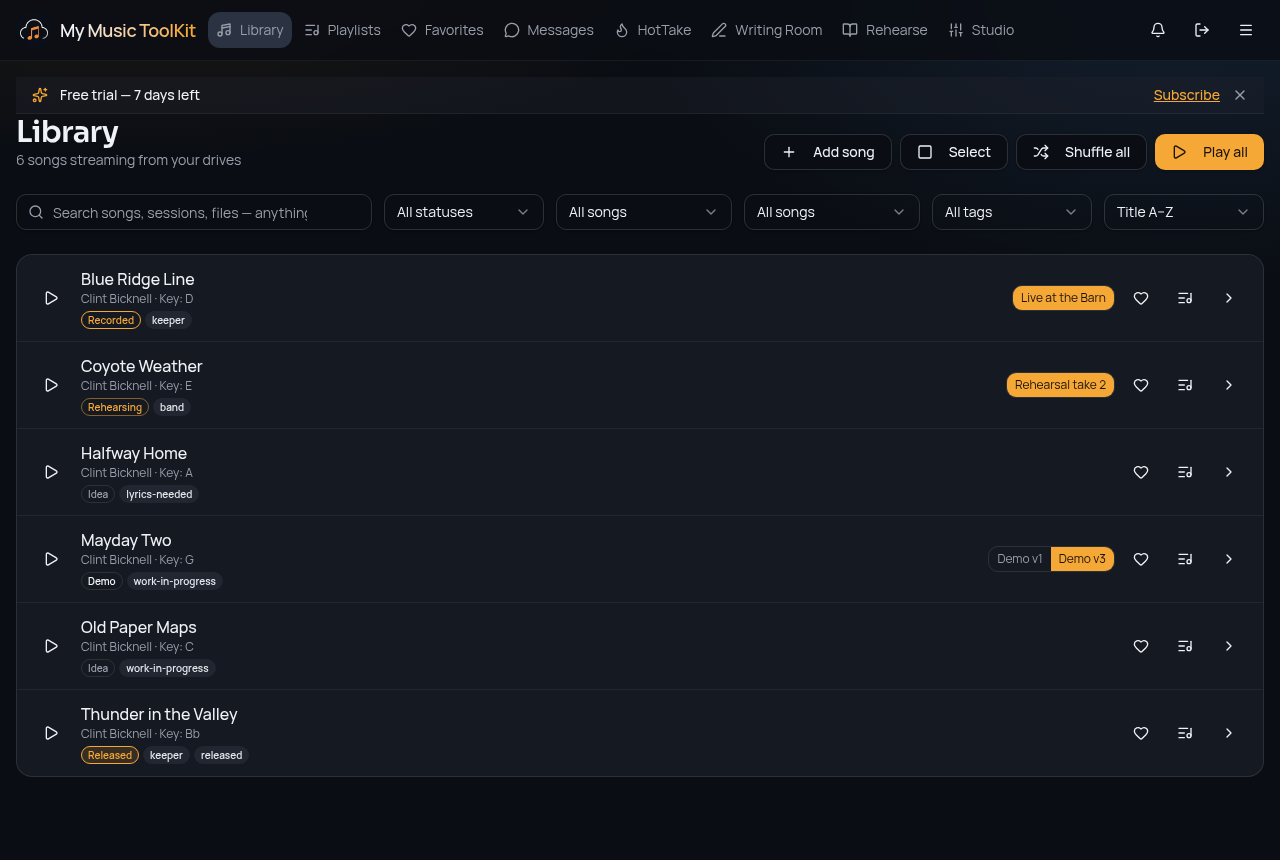
When an idea is worth developing, turn it into a song in your Library. The song holds its lyrics, chord charts, notes and every recorded version together.
Step 4 — Develop it in one place
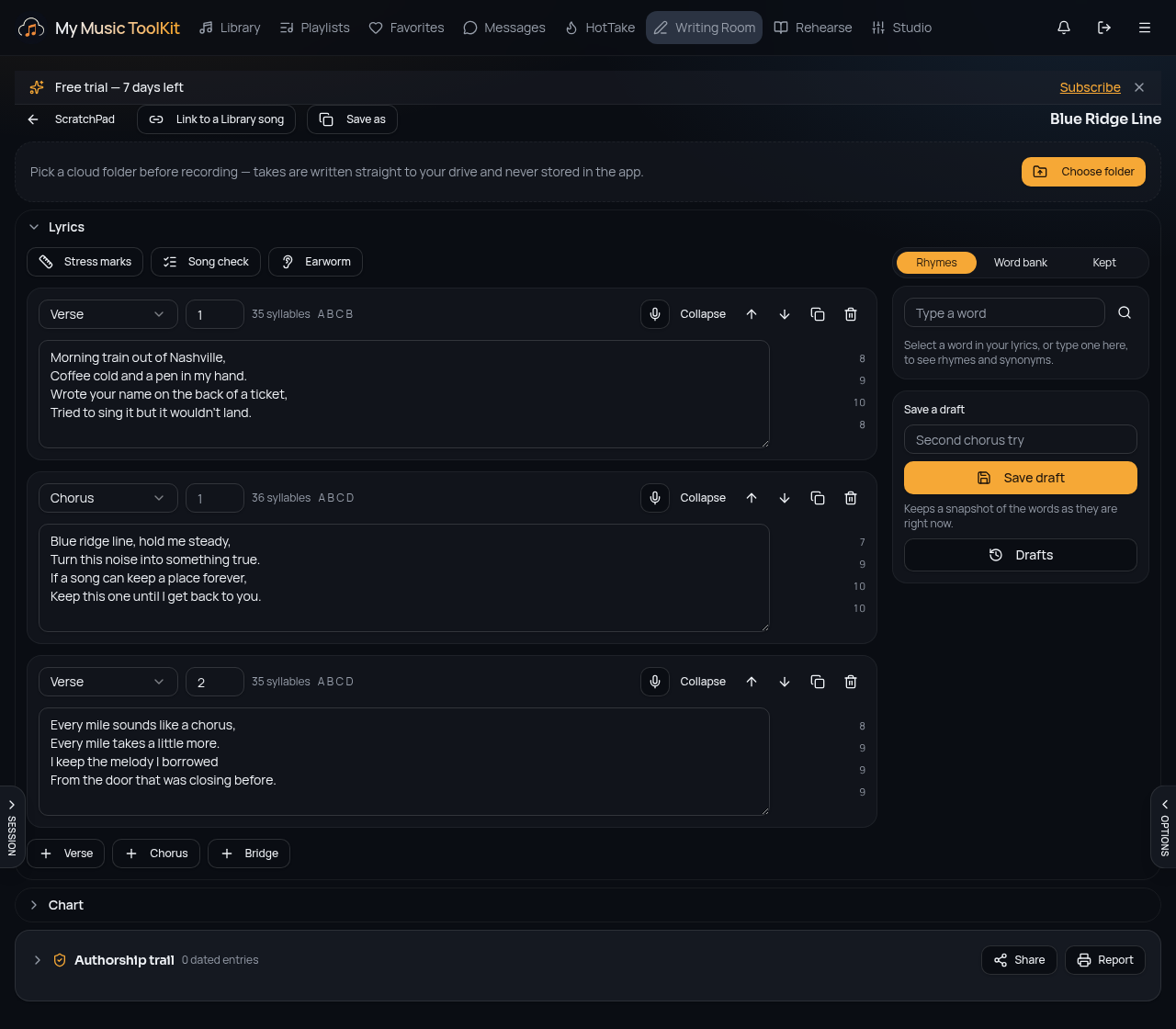
Open the idea in Writing Room to add lyrics, chord sketches and rough takes on separate channels, without exporting to another app.
Step 5 — Keep the files in your own cloud
Everything streams from your own Google Drive, OneDrive or Dropbox folder. Your audio isn't copied to our servers, and it's reachable from phone, tablet or computer.
Step 6 — Search instead of scrolling
Search by title, lyric or note and filter the Library, so an idea from two years ago is a few keystrokes away.
Common questions
- What's the best way to organize voice memos for songwriting?
- Capture them in one tool, rename each right away, and attach the keepers to a song record that also holds the lyrics and later demos.
- Should I keep lyrics and recordings together?
- Yes. Linking a lyric to the take it came from saves you from matching them up later.
- Can I import my old voice memos?
- Yes. Audio files in your connected cloud folder can be attached to songs in your Library.
- Is it free to try?
- Yes — a 7-day free trial with everything included, no card needed to start.
Give every song idea a home
Start your free trial and bring your ideas into one organized Library.